





















 Cloud Login
AutoPi Cloud
Advanced CAN Bus Management
for automotive data loggers
Our CAN-Bus management platform lets you harness every bit of vehicle data with precision and ease. Seamlessly collect high-volume CAN-Bus messages, store them securely in the cloud, and unlock real-time diagnostics and in-depth analytics. Deploy custom software configurations and firmware updates directly to your edge devices, ensuring uninterrupted data flow and maximum uptime.
AutoPi Cloud is included with all our devices. 100% free with the CAN-FD Pro device.

Recommended device
AutoPi Cloud's
CAN Bus Management
has been designed for the CAN-FD Pro
The AutoPi CAN-FD Pro is based on the Compute Module 4 from Raspbery Pi. The device is open and the AutoPi Core OS running on the device is open source. You can VPN/Tailscale into the device, making this the most versitile CAN bus data logger on the market.

Comes with 4-in-1 external antenna for 2x 4G/LTE, 1x GPS and 1x WiFi/BLE.
More memory and more storage with options for external storage.
Shipped with our latest AutoPi Core OS, designed for high speed data logging.
In stock | Order now -> Ships tomorrow.
Processor
Broadcom BCM2711 Quad-core Cortex-A72 (ARM v8) 64-bit SoC @ 1.5GHz (RPi CM4)
Memory
4GB LPDDR4 SDRAM
Storage
32GB on board eMMC (expandable with USB flash drive)
Modem
Integrated 4G/LTE Cat 4 connection (3G/EDGE fallback) (150Mbit DL / 50Mbit UL) (Global connectivity in a single device)
Secure Element
Sign and encrypt data
GPS/GNSS
Integrated GPS + A-GPS (GPS/GLONASS/BeiDou/Galileo/QZSS)
Power
Line Voltage: 12.5V DC (Car battery power). Up to 35V (Trucks). Support for trucks with up to 35V
Expansion
2 x USB, Gigabit Ethernet and HAT
Wireless
Bluetooth: Bluetooth 5.0 + Bluetooth Low Energy (BLE)
WiFi: 2.4GHz and 5GHz IEEE 802.11.b/g/n/ac wireless LAN
Accelerometer
3-Axis accelerometer
Gyroscope
Built in 3-axis gyroscope
Automotive Interface
2X CAN-FD interface with up to 5Mbps Data rate with integrated CAN data filters
Input Slots
SIM Card: Nano SIM - (SIM subscription purchased separately)
Audio
Built-in speakers
Video Out
mini HDMI @ 1080p60 Video Output
Operating System
Raspbian OS with preconfigured AutoPi Core software
CAN Bus Data management
Remote control of CAN-FD Pro devices:
Configuration, tuning, and expansion
AutoPi Cloud provides a centralized management layer for CAN Bus and CAN-FD deployments. Device configuration, channel parameters, and data handling pipelines can be updated remotely, which is useful when fleets are distributed across test tracks, workshops, customer sites, or production environments. The goal is predictable behavior across devices, with configuration history and repeatable setups that can be applied to groups of units.
CAN Bus Data Management
CAN Bus loggers
Loggers define the full data flow on the CAN-FD Pro, what is captured, how it is buffered, and where it ends up. The platform supports multiple loggers on the same device, which is practical in real projects. One logger can run as a full raw recorder for debugging, another can export only selected signals for reporting or monitoring. The two built-in CAN-FD channels can be configured independently, including bit rates, payload handling, and direction.
Logger configuration typically includes output format, rotation rules, storage targets, and upload behavior. When cellular conditions vary, buffering and retry logic matters. A logger that uploads data continuously can keep working across temporary dropouts, while local capture continues on internal storage.
The CAN-FD Pro is designed to be interoperable with external CAN interfaces. A common extension is a CAN-to-USB interface connected to the USB port, used to add additional channels or to monitor a separate network behind a gateway. In practice, additional networks often show up late in a program, for example a body network, a powertrain segment, or an equipment bus on machinery.

DBC files
DBC files can be uploaded to the CAN-FD Pro through AutoPi Cloud CAN Bus Management and assigned per channel or per logger. The interface supports selecting specific messages and signals for decoding. This selection step matters because DBCs often contain far more than the signals that are needed for a given test program.
DBC-based signal selection can also be used as an input to filtering. Instead of filtering on raw frame IDs only, pass filters can be derived from the chosen signals. This reduces bandwidth usage on 4G/LTE uploads and avoids exporting large quantities of unrelated traffic.
DBC files, CAN database files, describe how to interpret a raw CAN payload. They define frame identifiers, byte layout, bit positions, signedness, scaling, offset, and units. OEMs and equipment manufacturers typically maintain these internally, often with multiple versions per model year or ECU software release. The difference between a usable signal and a misleading one is sometimes just a scaling factor, which is why keeping track of the right DBC revision is not optional.
In mixed environments it is common to run with multiple DBCs at once, for example a powertrain DBC and a body DBC. Conflicts in message IDs happen, especially when gateways remap IDs or when supplier ECUs share ranges. The management layer helps keep these configurations explicit instead of buried in scripts.

CAN Bus channel detection
Channel detection supports two approaches: passive and active. Passive detection listens for broadcast traffic and evaluates what is present on the bus. Active detection can transmit requests and wait for a valid response, which is useful for OBD-II polling or confirming that a J1939 network responds to requests in a controlled way.
Channel configuration includes standard CAN and CAN-FD bit rates, with support for automatic baud rate detection. When working with CAN-FD, arbitration and data phase settings need to match what the network actually uses. A mismatch can look like “no traffic” even though the bus is active. That is common on bench setups and during early integration.
Advanced settings cover termination and transmit permissions. Termination is relevant when a device is added to a bench harness or a short test loop. Transmit permissions are important when the device is used as a passive logger versus a tool that also sends queries (PIDs, PGNs, UDS requests). Many test programs require passive capture only, while others depend on controlled polling.
Power environment is treated explicitly. The device is designed for 12 V and 24 V electrical systems, and channel setup can be aligned with heavy-duty use cases such as J1939, where traffic patterns and message sizes differ from passenger-car networks.

CAN Bus decoding
Decoding translates raw frames into physical values. On the CAN-FD Pro, decoding can run directly on the device, which keeps the pipeline simple when raw logs would otherwise need server-side parsing. Decoders are typically driven by DBC definitions, but Python-based decoding and custom logic are supported where a DBC is not available or where signals require additional post-processing.
Output formats include CSV, JSONL, and LOG for general workflows, plus MDF4 for programs that use ASAM tooling. MDF4 is widely used in automotive measurement and fits well with Vector tools such as CANalyzer, CANape, and CANoe. MDF4 output is also a practical choice when timestamps, channel metadata, and signal context need to be preserved for later correlation with other measurement systems.
Decoding is not only about human readability. It is also a way to control data volume. A selected set of decoded signals is often smaller than a full raw trace, especially on a busy CAN-FD bus. Projects with multi-hour logging sessions or fleets of vehicles tend to end up with a split approach: raw capture for a limited time window, plus decoded output for longer periods.

CAN Bus filters
Filters control which frames are logged, decoded, or forwarded. The CAN-FD Pro can record all raw traffic, but most deployments benefit from selective capture once the target signals and events are known. Filters can allow or block messages based on identifier, frame type, and identifier width.
Filters can distinguish between data frames, error frames, and remote frames. Identifier handling covers both 11-bit and 29-bit identifiers, including mixed traffic on the same channel. This matters on networks where standard CAN and J1939 traffic coexist, or where gateways forward subsets between segments.
Signal-based filtering can be derived from DBC files when decoding is enabled. This avoids hardcoding numeric IDs across multiple projects and ties filtering to a documented signal definition instead. It is common to start with broad ID filtering and later move to signal selection as the dataset stabilizes.
Filtering is one of the practical levers for cost control. High-load CAN-FD capture, uploaded over cellular, can become expensive quickly. Keeping raw data local and exporting a limited subset reduces ongoing data transfer without removing the option to retrieve the full trace when needed.

CAN Bus frame listeners
Frame listeners monitor live CAN traffic and trigger actions when specified conditions occur. This feature is used for event-driven data capture and device-side workflows, where a particular frame indicates a fault, mode transition, or threshold crossing. The action can be as simple as tagging a time window, or as complex as executing custom code and forwarding results to an external system.
Frame listeners integrate with AutoPi’s service concepts, including custom services, custom workers, custom triggers, and returners. These components support Python-based logic on the device and controlled delivery of output to cloud storage, HTTP endpoints, or internal infrastructure.
A typical workflow is fault-context capture: a listener detects a specific diagnostic frame and triggers an export of the last 30 minutes of raw CAN traffic. This creates a focused dataset for analysis without uploading raw traffic continuously. Another common workflow is “state-based logging”, where the logger switches profile when a vehicle transitions from ignition-off to ignition-on, or when a machine enters a working mode.
Frame listeners are not limited to passenger cars. Machinery networks often have consistent event frames and clear state machines, which makes event-triggered exports practical. The important part is repeatability, the same trigger should yield comparable captures across a fleet.

Output control
Output control governs how data is stored and exported, including destination, file format, and rotation. The CAN-FD Pro supports local storage on internal flash and can upload to external storage such as AWS S3. This is often combined with filters and decoding, depending on whether the output is raw frame dumps, decoded signals, or both.
Local formats include ASC (Vector ASCII), BLF (Vector Binary Logging Format), CSV, DB-backed storage, JSONL, and LOG. ASC and BLF are widely used when working with Vector tooling and protocol analysis. BLF is also useful when storage efficiency matters during long recordings. CSV is a pragmatic choice for quick analysis, JSONL fits logging pipelines and structured ingestion, and LOG gives a plain text view for troubleshooting.
File rotation is configurable by maximum file size and maximum age, preventing storage exhaustion during continuous capture. Rotation rules become important in multi-hour logging sessions, where raw CAN-FD traffic can generate large files quickly, depending on bus load and payload usage.
For cloud exports, AWS S3 can be configured as a remote destination with access key ID, secret access key, bucket, and folder path. This setup fits environments where a project already uses S3-based workflows for downstream processing, archival, or integration into analytics platforms. Other endpoints can be used via returners when exports need to land in internal systems.
Output control is one of the areas where most projects iterate. Raw capture is valuable, but output rules typically evolve once storage, bandwidth, and analysis workflows are known.

Tailscale integration
The CAN-FD Pro supports native integration with Tailscale, providing encrypted access over a private mesh network based on WireGuard. Devices can be reached without port forwarding or public inbound firewall rules, which reduces operational risk in fleet deployments.
Once enrolled, the device can be accessed over a private IP for SSH and controlled diagnostics. This is useful for remote troubleshooting, inspecting SocketCAN interfaces, validating logger state, and reviewing local logs when cellular uploads are delayed. In practical use, remote access often saves a site visit.
Tailscale setup is managed from the AutoPi Cloud interface and requires one-time authentication with a Tailscale account. Access control can then be handled through the Tailscale admin console, which is where most teams already manage device-to-engineer access policies.
Remote access is not a replacement for logging, but it helps shorten debugging cycles when a device behaves differently in the field than it does on the bench. This is a frequent issue in vehicle programs where bus traffic changes with ECU software versions and gateway configuration.

Advanced Features
Experience Reliability with
AutoPi Cloud's
Advanced Features
Our customer success team is here to help you seamlessly integrate AutoPi Cloud and achieve your desired fleet outcomes.
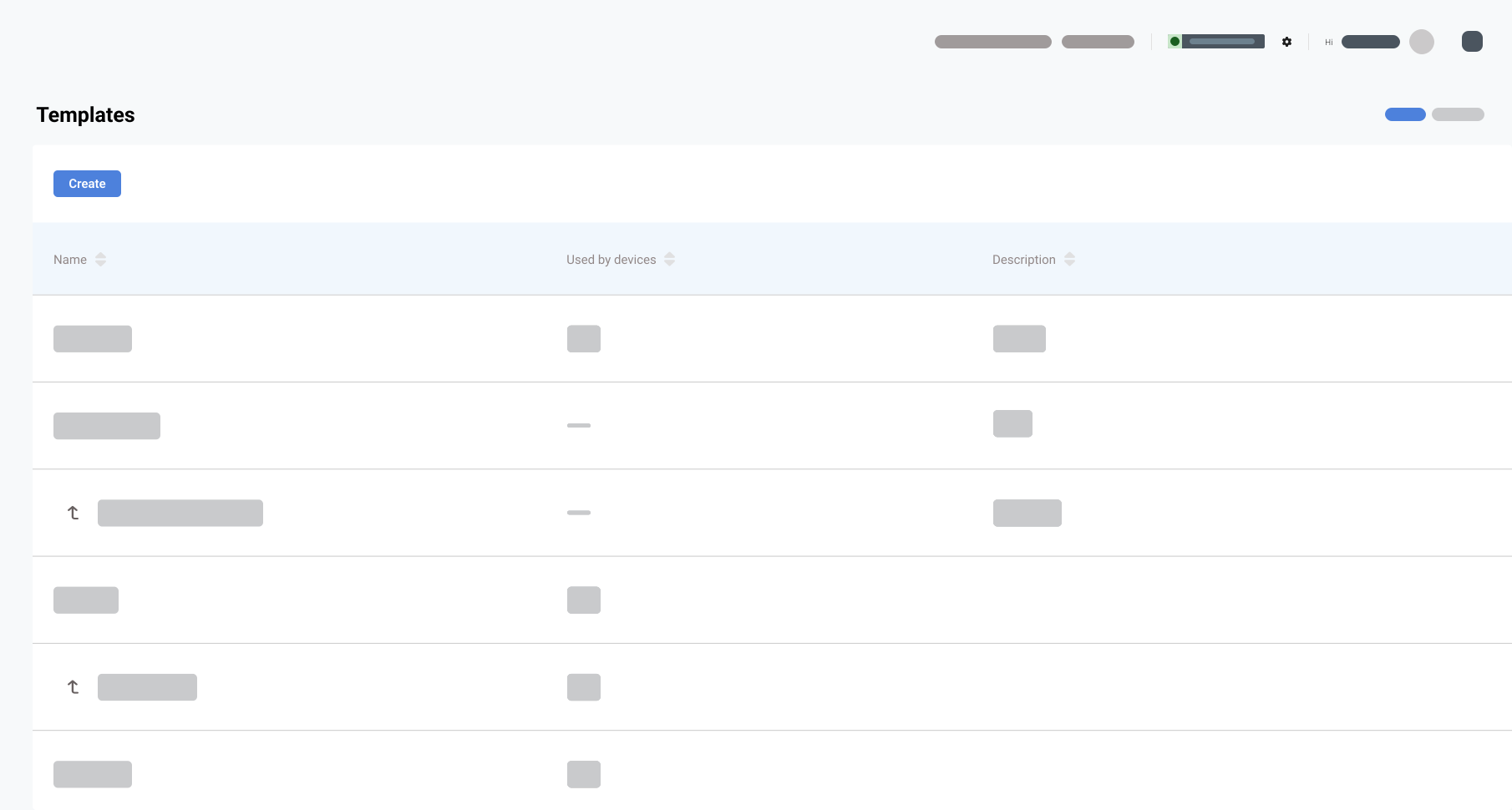
Strengthen Your Business by Boosting Growth and Efficiency.
Build scalable software to manage your vehicle fleet with ease.
Integrate with other tools and platforms to create a seamless workflow.
Built with the latest technology and security features, ensuring your data is safe and accessible at all times.
Experience a solution that grows with your business, saves time, and maximizes efficiency.
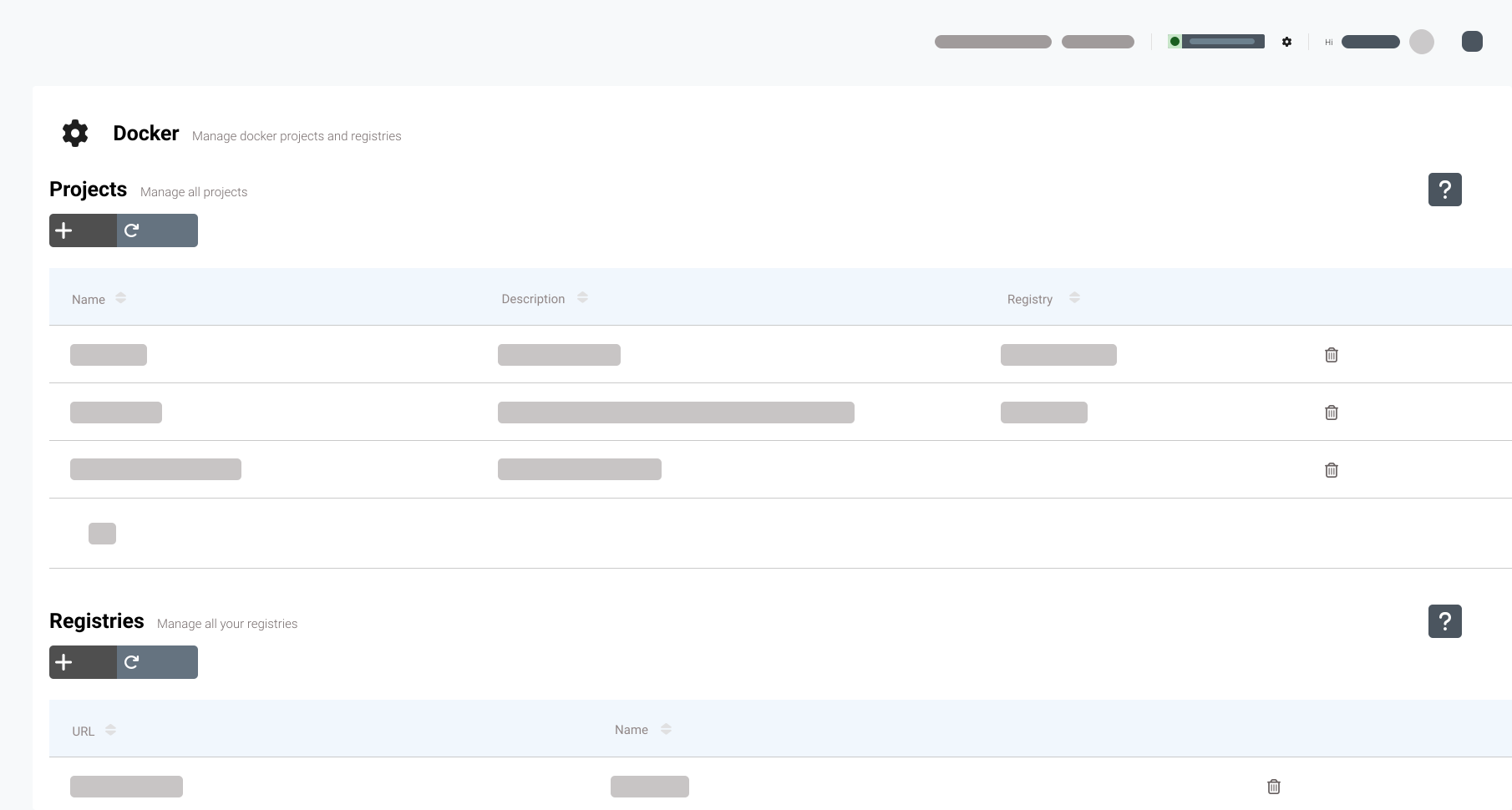
Streamline Your Operations with Docker’s containerization technology.
Deploy and manage your applications within our platform.
Ensure that your fleet management applications run smoothly and efficiently.
Quickly scale up or down your applications as needed, without worrying about infrastructure or compatibility issues.
Create and deploy custom applications to meet your specific business needs.
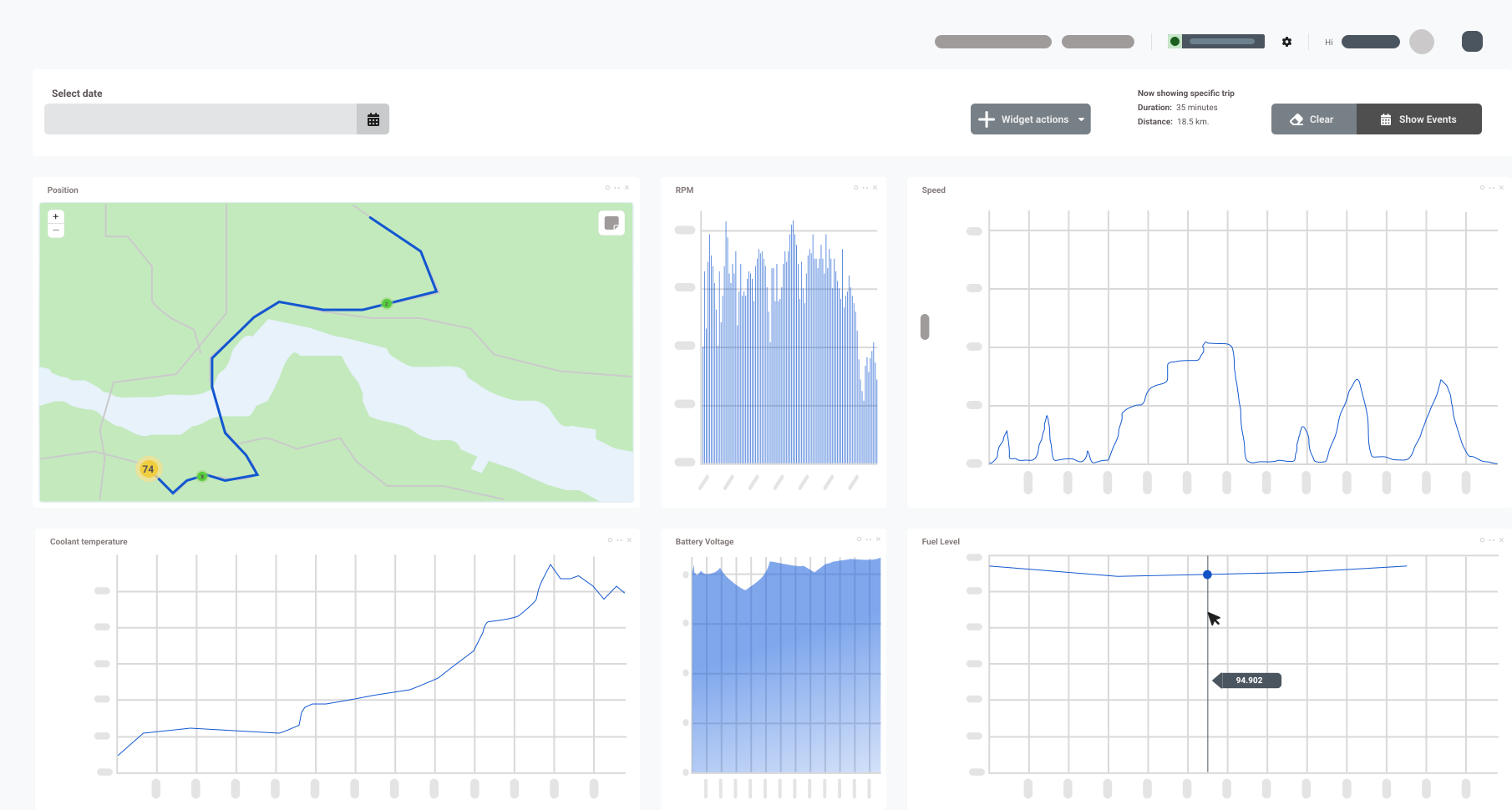
Optimal Fleet Performance with Real-Time Monitoring.
Real-time monitoring and access to live data of your vehicle fleet.
Up-to-the-minute data on vehicle locations, fuel consumption, driver behavior, and more.
Alerts and notifications, allowing you to respond quickly to any issues and anomalies.
Easy-to-use and customizable features, that you can set up based on your specific business needs.
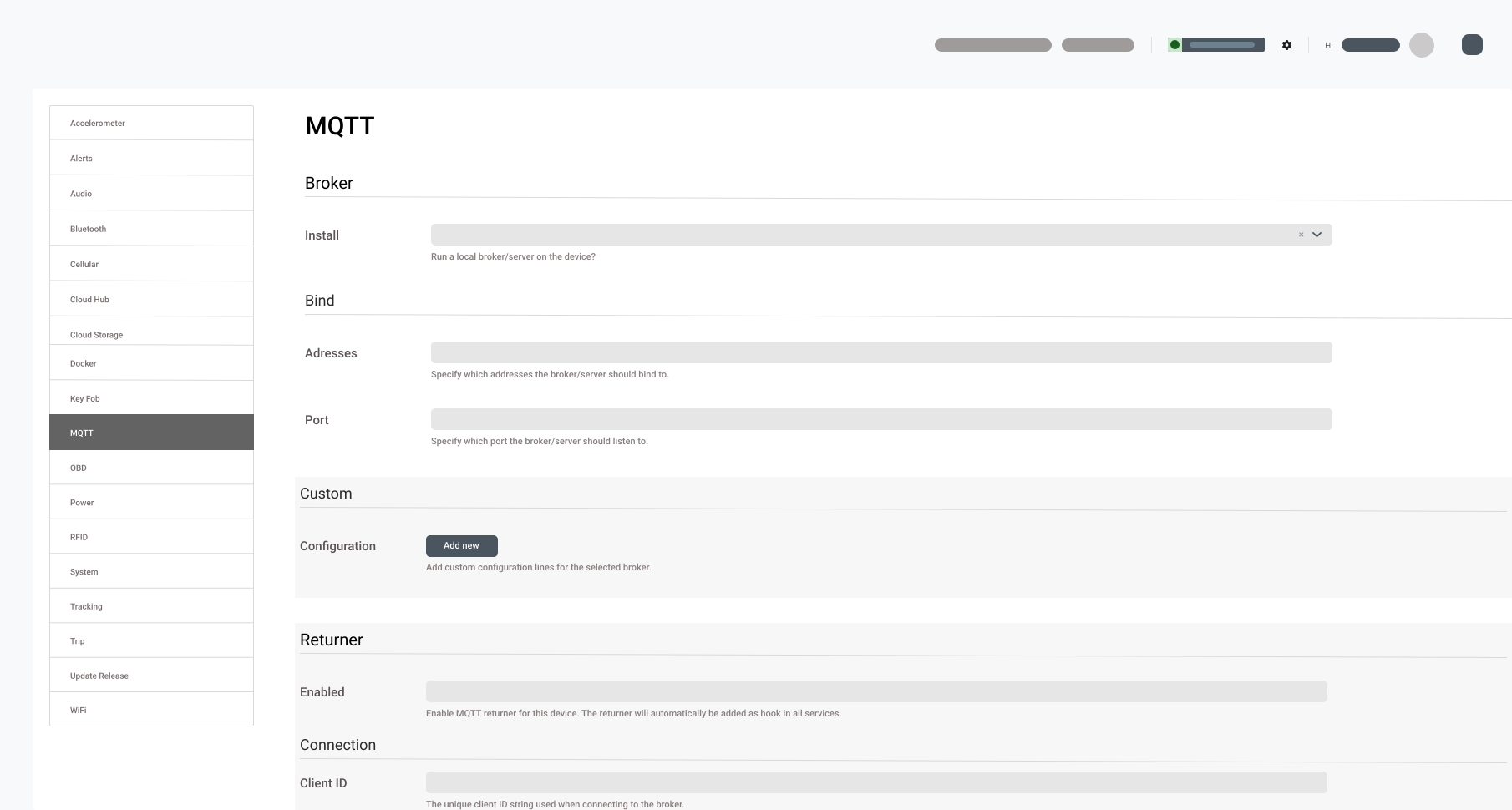
Claim Full Control Over All Logged Data from Your Vehicles.
Integrate your data with other tools and platforms and gain deeper insights into your fleet’s performance.
Built on the latest technology and standards, ensuring your data is secure and accessible.
Real-time data synchronization between different systems and devices.
Freedom to customize and build own applications and services on top of our platform.
Benefits
Capabilities of AutoPi Cloud
Transform your business with remote device management, real-time data visualization, and automated workflows for optimal performance and productivity.
Cloud Computing
Cloud computing provides numerous benefits for businesses that operate with vehicle fleets, including increased scalability, cost-effectiveness, and flexibility.
Cloud Solution
Scalable and flexible platform for managing vehicle fleets remotely, including a risk-free opportunity to test the platform with up to 3 devices per company, and the option to use the service for as long as needed.
Fixed Rate Pricing
Fixed rate pricing for our Cloud Solution, with no hidden fees or surprises, making it easy for businesses to budget and plan for their fleet management needs without worrying about unexpected costs.
One-time Fee Branding
Customize the platform to match brand identity, helping to reinforce brand message and enhance marketing efforts with fleet management customers, all without any recurring costs or additional fees.
Docker Compatible
Flexibility and scalability to integrate the platform with existing tools and workflows, ensuring a seamless and efficient experience for managing fleets, regardless of unique requirements and preferences.
Dedicated Cloud Environment
Ensuring maximum security and reliability for managing fleets, with customizable access controls and data encryption options, giving businesses the peace of mind, they need to focus on what matters most - growing and optimizing their fleet operations.
Something unclear?
Frequently asked questions
AutoPi Cloud is designed for a wide range of users, including car owners looking to enhance their driving experience, fleet managers aiming to improve fleet management effiiciency, and developers interested in IoT Integrations.
Whether you're a tech-savvy individual or managing a large fleet, AutoPi Cloud offers the tools you need.
Explore our Fleet Management System solution to see how AutoPi Cloud can benefits your specific use case.
AutoPi Cloud offers an array of key features, such as real-time vehicle tracking, remote diagnostics, customizable alerts, data logging, and seamless integration with various IoT devices and platform.
These features help you monitor you vehicle's performance and keep it running smoothly.
AutoPi Cloud stands out with its user-friendly interface, extensive customization options, robust data measure, and seamless integration capabilities. Unlike other products, AutoPi Cloud provides a comprehensive solution that is both powerful and easy to use.
Read more about our unique offerings in our AutoPi Cloud Blog.
Customers often ask about compability with their specific vehicle, the installation and setup, how their data is protected, and the variety of features available.
We strive to address these concerns by providing detailed information and exceptional customer support.
Visit our FAQ page and Documentation page for more questions and troubleshooting tips.
Using AutoPi Cloud offers numerous benefits, such as enhanced vehicle safety through real-time diagnostics, improved fleet management efficiency, and customizable alerts that help you stay ahead of potential issues.
One of the standout features is our device configuration management capability, which allows customers to monitor, update, and control all their connected devices from a single platform.
Additionally, we offer extensive customization options to match your business' specific requirements, ensuring that you get the most out of our platform. Our commitment to providing exceptional support and building long-term relationships means you can rely on us to assist you every step of the way.
AutoPi Cloud improves the user experience by providing detailed insights into vehicle performance, timely alerts to prevent issues, and an intuitive platform for managing vehicle data. It helps users stay informed and in control of their vehicles, reducing stress and improving efficiency.
AutoPi Cloud is compatible with most vehicles that have an OBD-II port. It supports various operating systems and can be accessed through both web and mobile applications, making it versatile and accessible.
Check out our Documentation for detailed compatibility information.
Installation is straightforward: simply plug the AutoPi device into your vehicle's OBD-II port, create an account on the AutoPi Cloud platform, and follow the setup instructions provided. The process is designed to be quick and easy, even for those who are not tech experts.
For a step-by-step guide, visit our getting started guide.
AutoPi Cloud automatically updates to ensure you always have the latest features and security enhancements. We also provide regular maintenance tips and updates through the platform, so you’re always informed about the best practices.
Stay updated with our latest news on our Blog.
AutoPi Cloud offers flexible pricing plans to suit different needs. You can choose between a one-time purchase for a lifetime subscription or opt for a monthly subscription plan. Each plan provides access to various features, allowing you to select the best option for your requirements.
AutoPi Cloud employs advanced encryption methods and secure data storage practices to protect user data. Our privacy policy ensures that user information is handled with the utmost care, giving you peace of mind.
STILL HAVE QUESTIONS?
Get in touch with us – We're ready to answer any and all questions.