





















 Cloud Login
// fleet data
AutoPi Mini
Verify supported EV/OBD vehicles and parameters for standard fleet data.
Explore MiniTreat every AutoPi unit as a managed node in your infrastructure. Define configuration once in AutoPi Cloud, apply it to projects, tenants, and fleets, and let the platform propagate changes over-the-air while keeping per-device overrides under control.
Network profiles, CAN/CAN-FD decoders, logging policies, GPIO mappings, keyless rules, and custom services are stored as versioned templates with history and audit trail. Changes are diffed, validated, and rolled out in a controlled way, so you always know which config was active on which device at a given time.
Use the web UI or APIs to integrate configuration with your CI/CD and internal tools, avoid config drift between engineering and production, and keep large deployments consistent without SSHing into individual vehicles.
Contact Us
Use AutoPi Cloud as a control plane for your in-vehicle devices. Onboard hardware, assign it to projects and tenants, attach configuration templates, and push changes over-the-air while keeping full visibility into status, health, and active config on every unit.

Represent fleets, projects, and customers as structured device groups with shared templates. Apply network, logging, CAN, and application settings centrally and let devices synchronize on their next check-in, instead of managing each unit by hand.
Register devices via serial/ID or pre-provisioning and attach them to tenants, projects, and fleets. Build hierarchies that reflect your business (customer → site → vehicle), so configuration, access rights, and policies inherit in a predictable way.
Locate devices by VIN, tags, customer, software version, online status, last check-in, or configuration profile. Use the result set for bulk operations such as assigning templates, launching OTA jobs, or changing ownership.
See current config, active templates, last applied changes, and device health from one view. Access is governed by role-based permissions, so operators, integrators, and end customers only see and control the devices they are responsible for.
Trigger a configuration sync, reboot, service restart, or diagnostic command directly from the device view. Changes are queued in the cloud and executed by the device on next contact, with logs and status returned for verification.
Use templates and inheritance instead of per-device configuration. Adjust logging, CAN mappings, network settings, or applications once at fleet or tenant level and let AutoPi propagate the changes, reducing config drift as you move from pilots to thousands of deployed units.

Apply network, logging, and application settings in seconds. Devices pull updates automatically, reducing manual setup work and keeping configurations consistent across the fleet.

Inspect real-time telemetry, fault codes, network health, and CAN traffic directly from the cloud. Validate setups quickly when rolling out new functionality or custom integrations.

Push configuration templates to hundreds or thousands of devices. Gain full rollout visibility, including status, logs, and applied-change history per device.

Use template inheritance to avoid duplicated configs and minimize drift. Manage complex fleets with predictable, clean configuration structures that scale with your business.
Use AutoPi Cloud as the single source of truth for configuration. Model tenants, projects, and fleets, attach versioned templates, and let devices synchronize over-the-air. Track what changed, when it changed, and which devices picked it up, without connecting to individual units.
Define network, logging, CAN/CAN-FD mappings, keyless rules, and custom services as reusable templates. Apply them at tenant, project, or fleet level and let inheritance handle the rest. Per-device overrides are supported, but remain visible so they do not drift out of control.
See which configuration and software version is active on each device, when it last checked in, and whether pending changes are still in queue. Use this view to verify rollouts, debug issues, or identify devices that deviate from the expected baseline.
Attach CAN, OBD-II, and other signal profiles to projects instead of hard-coding them per device. Control sampling rates, triggers, and logging rules centrally so that changes to a profile automatically propagate to all devices that depend on it.


Configuration changes are sent over TLS using device certificates and signed commands. Devices only accept updates from the AutoPi backend they are provisioned against, and all changes are recorded with user, time, and scope for audit purposes.
Manage configuration via REST APIs and webhooks as well as the UI. Integrate device provisioning, template updates, and rollout promotion into your CI/CD pipeline so fleet configuration follows the same process as your software releases.
Coordinate software and configuration changes in one place. Roll out new releases together with updated templates, verify device state, and, if needed, roll back both application and configuration to the last known-good combination.
Keep configuration, access, and operations in one place. Use APIs and templates to integrate with your own tooling, enforce security boundaries, and keep large deployments predictable as they scale.
Interact with devices, templates, and fleets through documented REST endpoints. Provision hardware, assign tenants, and push configuration from your own portals or CI/CD jobs instead of relying on manual dashboards for day-to-day work.
Store configuration as structured data, not ad-hoc scripts. This makes it easier to version, diff, review, and reuse across customers and projects, and to mirror the same structure inside your own systems if needed.
Combine configuration updates with telemetry and logs to build closed feedback loops: push a change, observe its effect on a subset of devices, then promote, adjust, or roll back based on measured results instead of guesswork.

Separate duties between integrators, support teams, and end customers. Use roles and scopes to control who can view devices, push configuration, trigger commands, or manage tenants, and log every sensitive action.
All device communication goes over TLS, backed by device certificates and signed messages. This prevents unauthorized infrastructure from issuing commands and keeps configuration updates and telemetry protected in transit.
Track who changed what and when across devices, templates, and tenants. Change history and event logs make it straightforward to reconstruct the state of a device at a specific point in time for debugging or compliance.

Give operations, engineering, and support teams views that match their tasks: fleet overview for managers, per-device drill-down for engineers, and filtered subsets for customer support or partners.
Run bulk operations on selected devices while still keeping safeguards in place. Preview the impact of template changes, limit updates to subsets, and use staged rollouts to avoid large-scale misconfiguration.
Visualize which settings come from which level (tenant, project, fleet, device) so engineers understand why a device behaves a certain way. Overrides are explicit, making it easy to clean up legacy exceptions as deployments mature.

// your proof of concept
Let's find the right hardware for your vehicles, validate the data you need and plan the integration together.
// fleet data
Verify supported EV/OBD vehicles and parameters for standard fleet data.
Explore Mini// vehicle-bus logging
Evaluate J1939, CAN FD and vehicle-bus data logging.
Explore CAN-FD Pro// custom edge software
Develop Docker workloads and custom edge software.
Explore TMU CM4Confirm vehicle power, connectors, adapters and any required external sensors. An accessible connector does not guarantee that every requested signal is available.
Compare device capabilities// project scope
// from testing to rollout
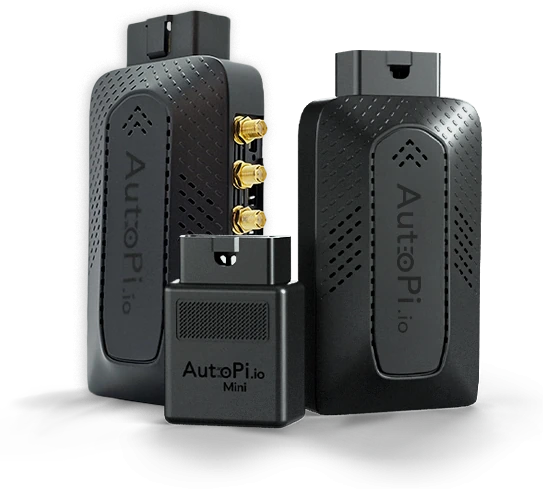
We'll help you choose devices to purchase for representative vehicles, then work with you to extract the data you need, including reverse engineering where needed. Together, we'll agree the scope and acceptance criteria, validate the captured signals and integration, then decide on rollout.
Discuss your PoCGet in touch with us - we're ready to answer any and all questions.