



















 Cloud Login

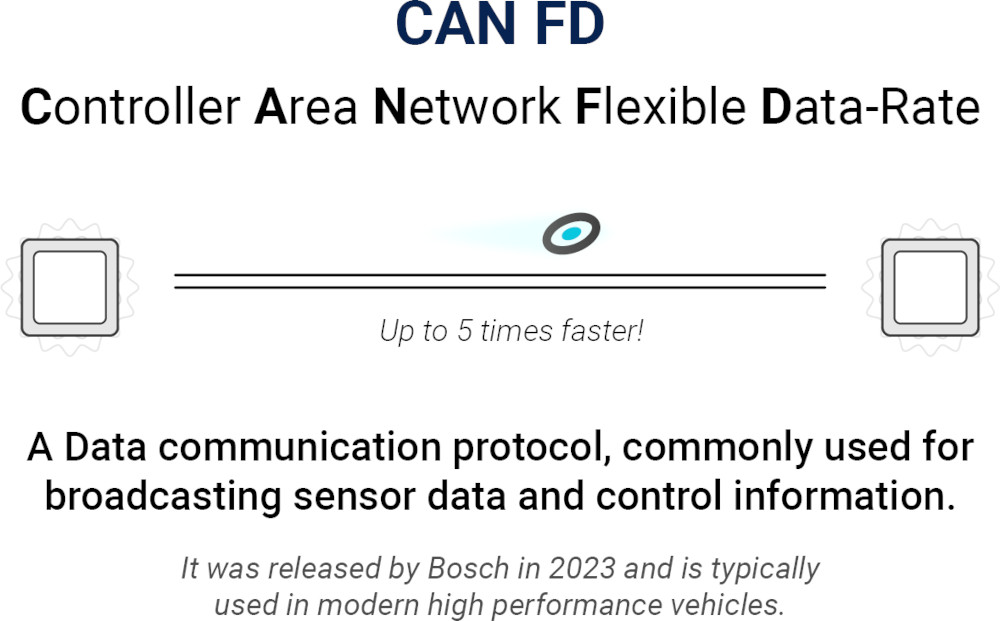
CAN FD stands for Controller Area Network with Flexible Data-Rate. It is an extension of Classical CAN, made to send more data per frame and allow a faster data phase. At the same time, it keeps the arbitration behaviour that makes CAN useful in vehicle and industrial networks.
Classical CAN supports up to 8 data bytes in one frame. CAN FD increases this to 64 bytes. CAN FD can also use a higher bit rate during the data phase, while the arbitration phase still runs at the nominal CAN bit rate.
In practice, the actual speed depends on the transceivers, wiring, bus length, topology and EMC requirements. So CAN FD is not only about the protocol. The physical network also matter.
CAN FD is relevant where Classical CAN becomes too limited. Typical examples are EV battery systems, powertrain data, diagnostics, gateways, data logging and newer vehicle platforms with higher signal density.
It is not a full replacement for Ethernet or CAN. It is more a practical upgrade when more bandwidth is needed, without changing the full network architecture.
What is CAN FD?
CAN FD is an improved version of the CAN protocol.
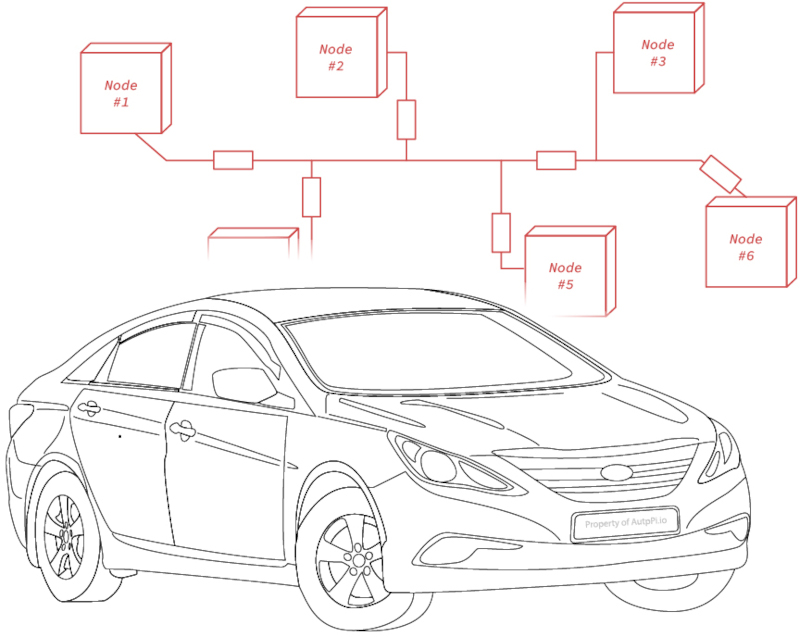
It keeps the same basic idea as CAN. ECUs share a bus, messages are identified by CAN IDs, and arbitration decides which message gets access to the bus first.
The main difference is that CAN FD allows a larger payload and a faster data phase.
This means the system can move more useful data with fewer frames compared to Classical CAN.
Key features of CAN FD
- Larger payload: CAN FD supports up to 64 bytes per frame, compared with 8 bytes in Classical CAN.
- Higher data-phase speed: CAN FD can use a faster bit rate after arbitration, often several Mbit/s in networks that support it.
- Same arbitration concept: Message priority is still based on the CAN identifier.
- Improved error detection: CAN FD uses updated CRC handling to support the larger payloads.
Why CAN FD was needed
Modern vehicles move more data than older CAN networks were designed for.
EV battery systems, ADAS-related controllers, gateways, diagnostics and logging systems all create higher data demands. More signals need to be moved, and often at a higher update rate.
Classical CAN is still reliable and widely used. But the 8-byte payload can become inefficient when larger datasets must be moved.
CAN FD solves part of this by allowing more bytes per frame and a faster data phase.
Importance and benefits of CAN FD
The main benefit of CAN FD is efficiency.
More data can be sent in one frame, so the network needs fewer frames for the same amount of payload data. This is useful when many signals must be transmitted at short intervals.
CAN FD also helps when diagnostic or logging systems need to collect larger datasets. Instead of spreading data over many small CAN frames, a CAN FD network can transfer larger payloads more efficient.
Practical benefits
- More data per frame: Useful for battery data, diagnostics, calibration and gateway communication.
- Better bus efficiency: Larger frames can reduce overhead compared with many small Classical CAN frames.
- Faster data transfer: The data phase can run faster where the physical network support it.
- Good fit for newer vehicle platforms: Useful where CAN is still suitable, but Classical CAN is too limited.
Real-world impact
CAN FD is common in systems where Classical CAN does not give enough payload capacity.
EV battery management is a good example. A battery pack may need to report voltages, temperatures, state of charge, state of health, limits and diagnostic states.
With Classical CAN, this data can require many frames. With CAN FD, more of the data can be grouped into fewer frames.
CAN FD is also useful in gateways and data loggers. Gateways may need to collect, translate and forward many signals between networks. Data loggers need to capture high-resolution traffic without dropping important frames.
"CAN FD is useful when the amount of vehicle data grows, but the system still needs CAN-style arbitration and predictable behaviour. It gives more payload and better efficiency without moving everything to Ethernet."

The AutoPi CAN FD Pro is built for vehicle data logging and telematics projects where CAN and CAN FD access is required.
It can be used to capture raw frames, collect selected signals and forward data to AutoPi Cloud or external systems.

How does the CAN FD protocol work?
CAN FD uses the same basic bus access method as Classical CAN.
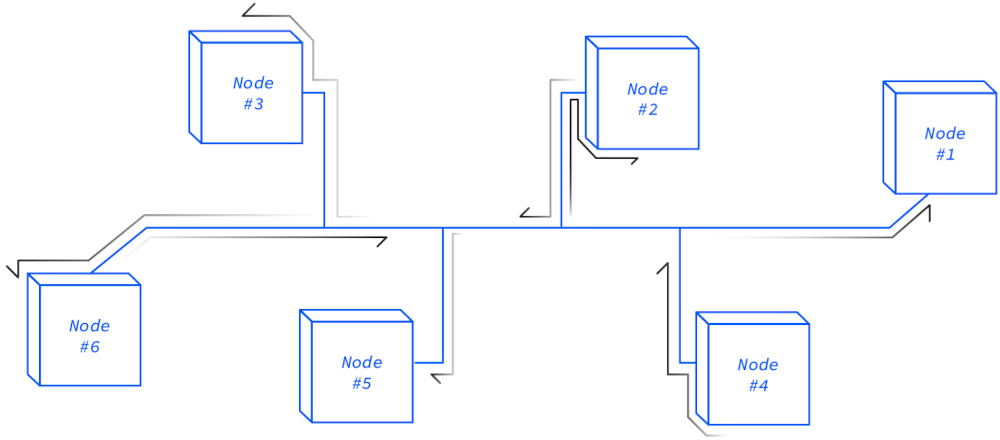
When multiple nodes want to transmit, arbitration is performed using the identifier. The message with the highest priority wins access to the bus.
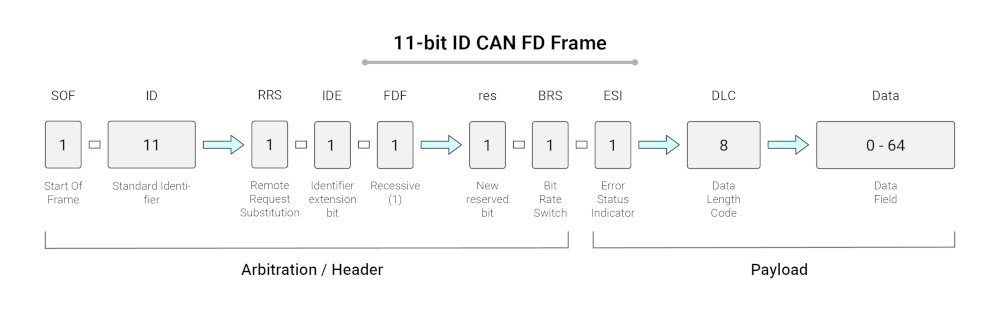
The important difference is that a CAN FD frame can switch to a faster bit rate during the data phase. This is called bit rate switching.
The arbitration phase stays at the nominal bit rate, so nodes can still arbitrate correctly.
-
Arbitration
Nodes compete for bus access using the identifier. Lower numeric identifiers have higher priority, like in Classical CAN.
-
Control and bit rate switching
A CAN FD frame can indicate that the data phase should use a higher bit rate. This makes it possible to move the payload faster after arbitration is complete.
-
Larger payload
The data field can contain up to 64 bytes, compared with 8 bytes in Classical CAN.
-
CRC and error handling
CAN FD includes CRC changes to support the larger payload and improve detection of transmission errors. Errors are detected and signaled, but CAN FD does not correct corrupted payloads in place. Invalid frames are rejected and retransmitted according to CAN error handling rules.
-
Acknowledgement
Receivers acknowledge valid frames. If a frame is not acknowledged, or an error is detected, the transmitter retries according to the protocol behaviour.
| Step | What happens | Why it matters |
|---|---|---|
| Arbitration | Nodes use the CAN identifier to decide bus access | Keeps priority handling predictable |
| Bit rate switching | The data phase can run faster than arbitration | Transfers payload faster where the network supports it |
| Data payload | Up to 64 bytes can be sent in one frame | Reduces the number of frames needed for larger data |
| CRC and error handling | Invalid frames are detected and rejected | Helps maintain data integrity on the bus |
| Acknowledgement | Receivers acknowledge a valid frame | Confirms that at least one node received the frame correctly |
Technical overview of CAN FD
CAN FD was designed to increase payload capacity and improve data transfer efficiency, while keeping much of the CAN communication model.
This makes it useful in systems where CAN is already well understood, but more data needs to be moved.
| Feature | CAN FD behavior | Practical note |
|---|---|---|
| Payload | Up to 64 data bytes per frame | Useful for larger signal groups, diagnostics, and logging |
| Bit rate switching | Higher bit rate can be used during the data phase | Actual speed depends on wiring, topology, and transceivers |
| Arbitration | Identifier-based arbitration is retained | Priority behavior remains familiar from Classical CAN |
| CRC | Updated CRC handling for larger frames | Improves error detection for longer payloads |
| Compatibility | CAN FD controllers can usually operate in Classical CAN mode | Classical CAN-only nodes cannot understand CAN FD frames |
CAN FD vs CAN
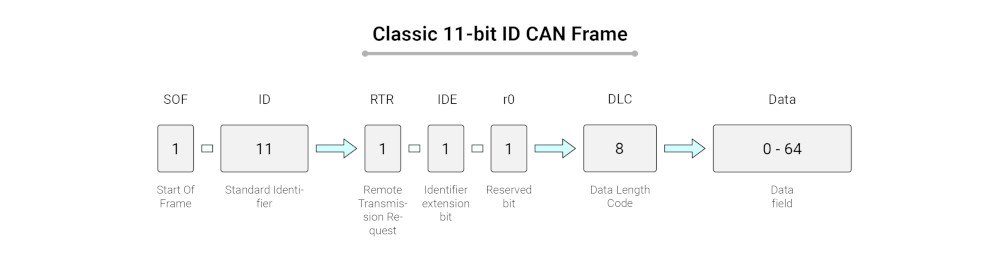
Classical CAN and CAN FD are closely related, but they are not the same.
CAN FD adds larger payloads and the option for a faster data phase. Classical CAN is still widely used because it is simple, proven and enough for many control tasks.
For more on the CAN protocol, see the CAN Bus Guide.
| Feature | Classical CAN | CAN FD |
|---|---|---|
| Payload | Up to 8 bytes per frame | Up to 64 bytes per frame |
| Bit rate | Typically up to 1 Mbit/s | Nominal arbitration bit rate plus faster data phase |
| Efficiency | More frames needed for larger data | Fewer frames needed for larger payloads |
| Error detection | CAN CRC and standard error handling | Updated CRC handling for longer frames |
| Compatibility | Cannot decode CAN FD frames | CAN FD controllers can often be configured for Classical CAN operation |
| Typical use | General ECU communication, diagnostics, body and powertrain networks | Higher-data ECU networks, EV systems, gateways, diagnostics, and logging |
"Classical CAN is still a very strong protocol, but CAN FD is useful when the amount of data increases. The larger payload and faster data phase make a real difference in logging, diagnostics, and newer vehicle platforms."


When should you consider CAN FD?
CAN FD makes sense when Classical CAN becomes a bottleneck.
This can happen when the system needs more payload per message, higher logging resolution, faster diagnostics or more efficient gateway communication.
It is not always the right answer. If the existing CAN network has low load and the signals fit well into 8-byte frames, Classical CAN may still be enough.
If the system needs very high bandwidth, Automotive Ethernet may be more suitable.
Applications of CAN FD
CAN FD is mainly used where CAN-style communication is still useful, but the payload or bandwidth requirements are higher than Classical CAN can handle efficient.
Automotive applications
In vehicles, CAN FD is used in newer ECU networks, EV systems, diagnostics and gateway architectures. It is useful when many parameters need to be exchanged quickly between controllers.
Typical automotive use cases include:
- EV battery systems: Battery management systems can send more cell, temperature, current, voltage and state data in each frame.
- Gateways: Gateways can collect and forward larger signal groups between vehicle domains.
- Diagnostics: Diagnostic data can be transferred more efficient than with Classical CAN in systems that support it.
- Data logging: CAN FD allows higher-volume signal capture for development, testing and fleet data projects.
Industrial applications
CAN FD is also relevant in industrial systems where CAN is already used, but larger payloads or faster updates are needed.
This can include machinery, automation systems, mobile equipment and embedded control networks.
In these systems, CAN FD can help with faster status updates, richer diagnostics and more efficient communication between controllers and sensors.
Why CAN FD matters for data logging
For automotive data loggers, CAN FD support is important because many newer vehicles and machines already use CAN FD on some networks.
A logger that only supports Classical CAN may miss important data or fail to decode traffic on those buses.
The automotive data logger must match the vehicle network.
If the vehicle uses CAN FD, the logger needs CAN FD-capable hardware and the correct bit rate configuration.
Future of CAN FD
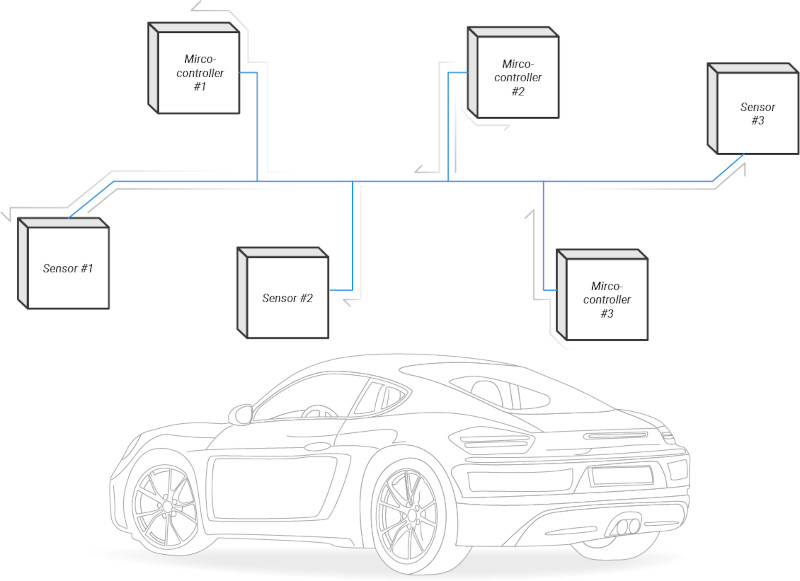
CAN FD will continue to be used where moderate bandwidth, deterministic bus behaviour and CAN-style arbitration are needed.
It is especially relevant in vehicles and machines that are too data-heavy for Classical CAN, but do not require Ethernet for every control network.
Automotive Ethernet is growing in areas such as ADAS, infotainment and central compute. That does not remove the need for CAN FD.
In many architectures, CAN FD and Ethernet are used together. Ethernet is used for high-bandwidth backbone communication, and CAN FD is used for local control networks and ECU communication.
For telematics and data logging, the practical requirement is clear: hardware must support the networks used by the vehicle.
On modern platforms, that often means supporting Classical CAN, CAN FD and sometimes Ethernet or DoIP, depending on the project.
Conclusion
CAN FD extends Classical CAN with larger payloads and a faster data phase.
It is useful when vehicle or machine data volumes increase, but the system still benefits from CAN-style arbitration and a shared bus architecture.
The main advantages are simple: up to 64 bytes per frame, better efficiency for larger data transfers and support for higher data-phase bit rates where the physical network allows it.
For projects involving vehicle data logging, EV battery systems, diagnostics or newer ECU networks, CAN FD support is often required.
AutoPi CAN FD Pro is built for these kind of projects, with support for CAN FD data logging and cloud-connected workflows.
For CAN FD project requirements, hardware selection, or data logging questions, contact AutoPi.


