



















 Cloud Login

Need a simple, practical intro to SAE J1939?
SAE J1939 is the CAN-based communication protocol used in many heavy-duty vehicles and machines.
If you work with trucks, buses, agricultural machines, construction equipment or industrial engines, J1939 is usually one of the first protocols you meet.
This article explains J1939 in practical terms. We look at what it is, how it sits on top of CAN, how PGNs and SPNs work, and what to consider when logging J1939 data with hardware such as the AutoPi CAN FD Pro or a Raspberry Pi based system.
The goal is not to cover every SAE document in detail.
The goal is to give a technical overview that helps you understand what is happening on the bus when a heavy-duty vehicle sends engine data, fault codes, fuel data or machine status.
Quick facts about SAE J1939
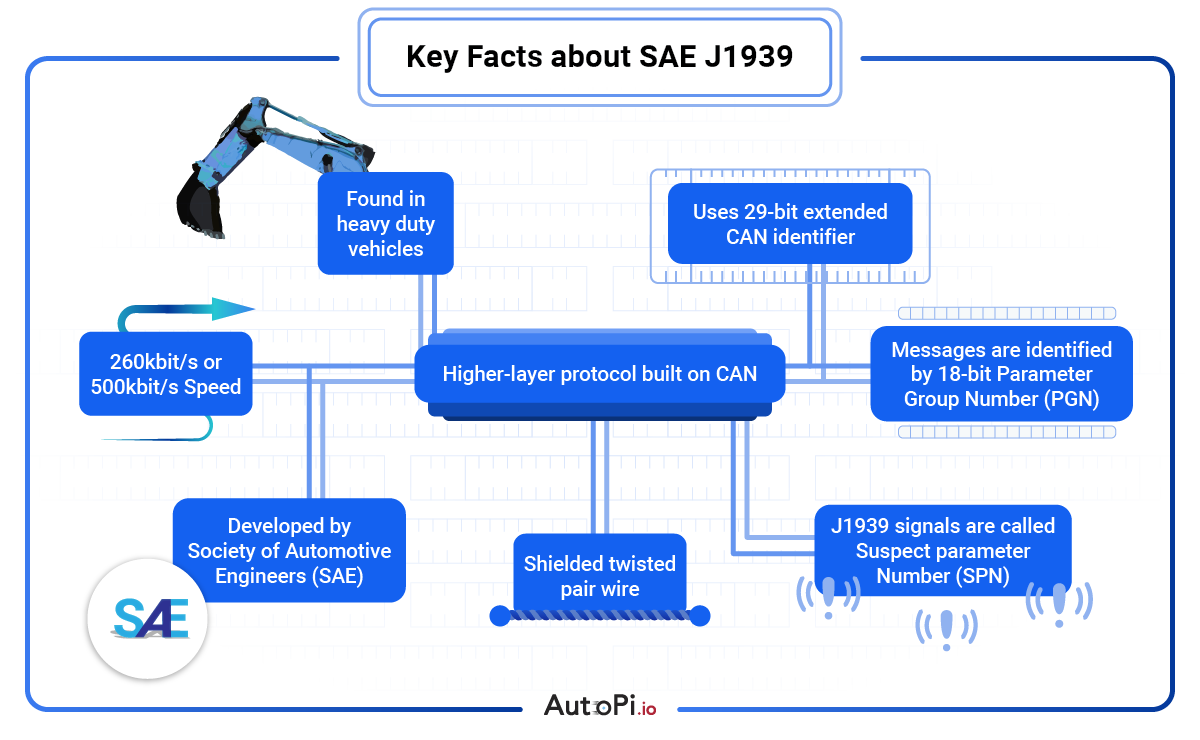
SAE J1939 is mainly used in heavy-duty vehicles and machinery. It runs on CAN and uses 29-bit extended CAN identifiers.
A typical J1939 network runs at 250 kbit/s, although newer systems may also use 500 kbit/s.
The important terms are PGN and SPN.
A PGN, or Parameter Group Number, describes the message group. An SPN, or Suspect Parameter Number, describes a specific signal inside that message group.
Examples can be engine speed, coolant temperature, fuel rate or a diagnostic value.
J1939 is maintained by SAE and is defined across several documents, including J1939-21 for the data link layer and J1939-71 for vehicle application-layer data.
What is J1939?
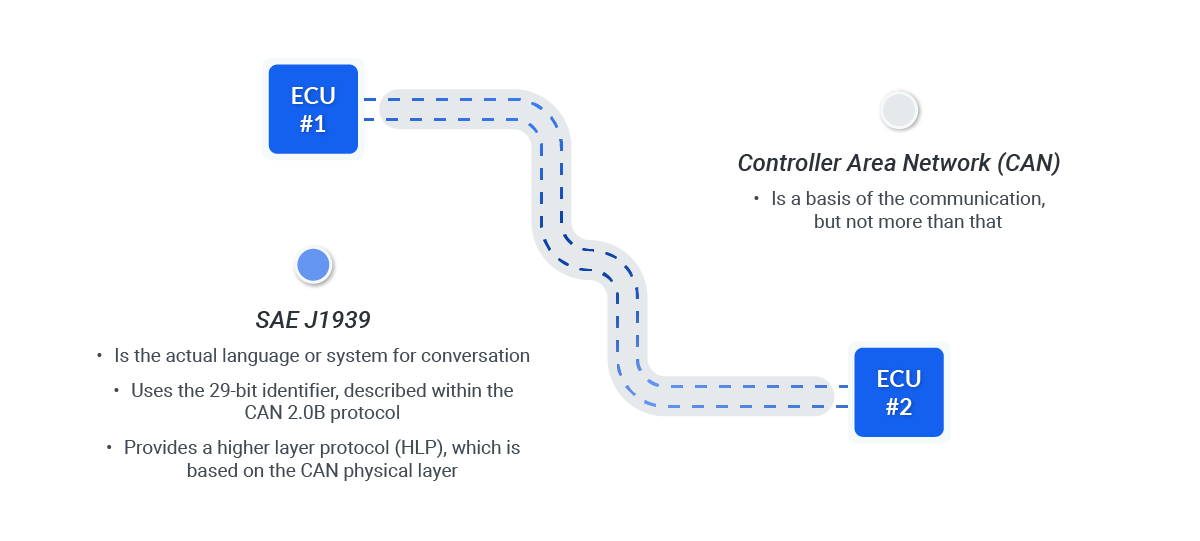
J1939 is a higher-layer protocol built on top of CAN.
CAN defines how frames are transmitted on the bus. J1939 defines how these frames are used in heavy-duty vehicles.
It defines how identifiers are structured, how messages are grouped, how diagnostic trouble codes are reported and how signals are interpreted.
In simple terms, CAN is the transport layer, and J1939 is the common language used by the ECUs.
The engine ECU, transmission controller, brake controller, aftertreatment system, instrument cluster and telematics unit can all exchange data using the same structure.
J1939 is common in trucks, buses, agricultural machinery, forestry equipment, construction machines, generators, marine engines and off-highway equipment.
It is also often used together with other CAN traffic, proprietary OEM messages, diagnostics and gateway modules.
The protocol was introduced because heavy-duty vehicles needed a more standardized way to exchange data.
Before this kind of standardization, many manufacturers used their own message formats. That made tools, integrations and service work more difficult across brands and vehicle types.
For telematics and diagnostics, J1939 is useful because it gives access to standardized values such as engine speed, fuel rate, coolant temperature, engine hours, vehicle speed and fault information.
Some vehicles also expose many manufacturer-specific values, but these often require OEM documentation or reverse engineering.
The official specifications are available through the SAE J1939 standards collection.
Why is J1939 important?
J1939 matters because it gives heavy-duty vehicles a shared way to communicate.
This is important when many systems must work together, but are often supplied by different manufacturers.
A truck can include an engine from one supplier, a transmission from another, an aftertreatment system from a third and a telematics device added later.
Without a common protocol, every integration becomes more custom. With J1939, diagnostic tools, data loggers and telematics systems can read many standard messages in the same way across different vehicles and machines.
In daily use, J1939 is mainly important in three areas.
- Diagnostics: DM messages report active and historic faults from ECUs on the network.
- Telematics: Values like fuel use, engine hours, load, idle time and position can be collected for fleet monitoring.
- ECU coordination: Engine, transmission, brake system and aftertreatment can exchange control and status data.
J1939 inherits the reliability of CAN. It uses differential signaling, arbitration and CAN error handling.
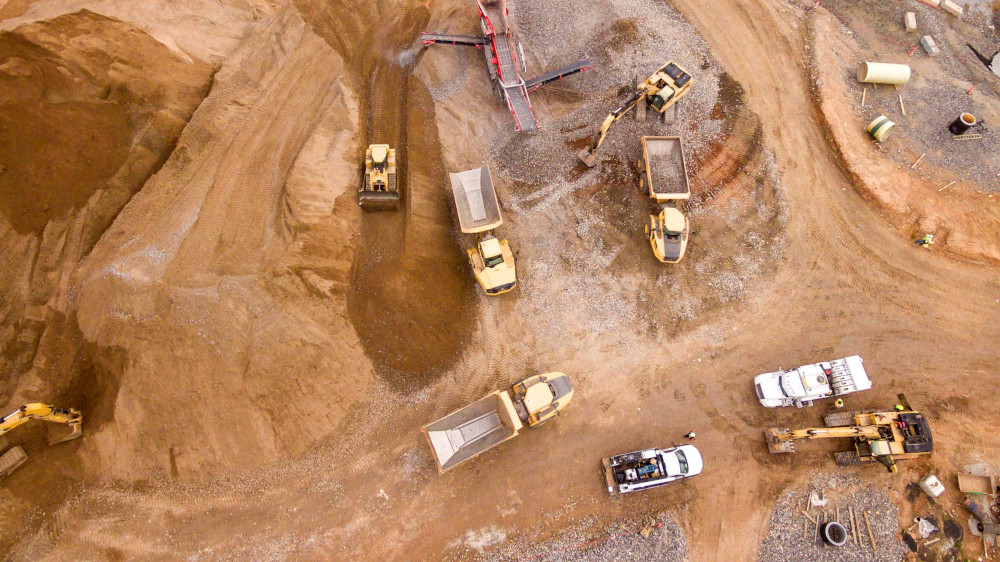
This is one reason it works well in harsh environments such as construction sites, ports, agriculture, mining and long-haul transport.
Malte from AutoPi explains it like this:
J1939 is useful because it is practical. You can connect to the bus, read standard engine and diagnostic data, and
get a good picture of how the vehicle is behaving. The difficult part is usually not the CAN connection. The
difficult part is knowing which signals are reliable, which are OEM-specific, and how the data should be used.
AutoPi CAN FD Pro and J1939 logging
J1939 becomes useful when the data can be captured reliable.
A single diagnostic scan can be useful, but long-term logging gives a much better picture of how the machine behaves under load, during idle time, during faults and across different operators or duty cycles.
The AutoPi CAN FD Pro is built for this type of work.
It can be used to log CAN, CAN FD, LIN, OBD2 and J1939 data from vehicles and machines.
In a heavy-duty setup, one CAN bus may carry standard J1939 traffic, while another bus may carry manufacturer-specific data or newer CAN FD traffic.
Captured frames can be stored locally and forwarded as raw CAN frames or decoded J1939 signals.
Depending on the project, the data can go to AutoPi Cloud, an S3 bucket, Azure Blob storage or a customer backend.
For engineering teams, it is often useful to store both raw frames and decoded values. The decoded values are easier to use in dashboards, while raw logs are useful when the decoder later needs to be improved.
Because the device is Linux-based, engineers can run custom Python code, work with SocketCAN-style workflows, filter frames locally and implement project-specific decoding or forwarding logic.
Typical use cases include long-term durability testing, fleet monitoring, fault-code collection, machine utilization analysis and investigating intermittent problems such as derates, aftertreatment warnings, temperature excursions or hydraulic pressure drops.

Basic components of J1939
J1939 has a few core concepts that are worth understanding before looking at real traffic.
The most important are the CAN network, the 29-bit identifier, PGNs, SPNs, source addresses and diagnostic messages.
Network architecture
J1939 runs on a CAN bus.
The network consists of nodes such as engine ECUs, transmission controllers, brake systems, body controllers, instrument clusters and telematics devices.
Each node can transmit messages, and all nodes can listen.
This is a broadcast model. A message is not normally sent to one physical wire or one dedicated device. It is placed on the bus, and the nodes that care about that PGN process it. Other nodes ignore it.
Many vehicles have more than one CAN network.
A truck may have a standard J1939 backbone, a diagnostics connector, a body builder interface and additional OEM-specific networks.
This is why bus selection is one of the first things to check when starting a logging project.
J1939 pinout
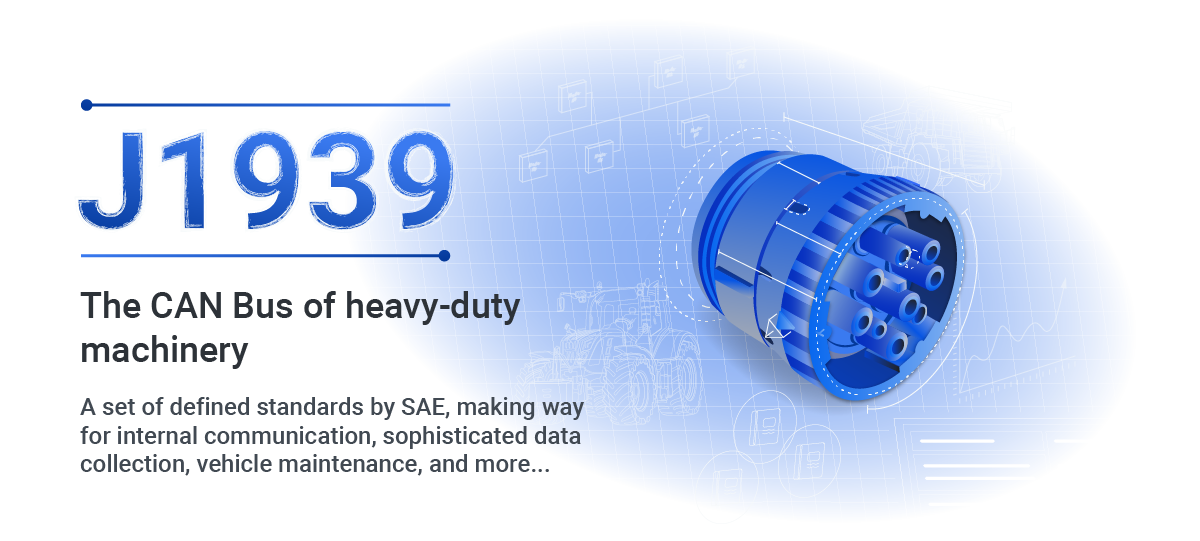
The 9-pin Deutsch connector is common on heavy-duty vehicles. It is often used for diagnostics and telematics access.
The exact wiring can vary, so the vehicle documentation should always be checked before connecting equipment.
A common 9-pin layout is:
| Pin | Typical function | Note |
|---|---|---|
A |
Ground | Electrical reference for the connected device. |
B |
Battery power | Often used to power diagnostic or telematics equipment. |
C |
CAN High | Primary J1939 CAN high line. |
D |
CAN Low | Primary J1939 CAN low line. |
E |
Shield | Used for cable shielding where implemented. |
F/G |
Secondary network | May be J1708/J1587 or a second CAN bus depending on vehicle and connector type. |
H/J |
OEM specific | Usage varies by manufacturer and model. |
The black and green 9-pin connectors are keyed differently.
In practical terms, this helps separate older 250 kbit/s networks from newer implementations that may also expose 500 kbit/s CAN.
Do not assume that all pins are populated or that all vehicles expose the same data. Check the vehicle documentation or measure the bus before relying on the connector.

PGNs and SPNs
The PGN is the message group. The SPN is the actual signal inside that group.
This is one of the most important distinctions in J1939.
A PGN can be seen as a container. It tells you what kind of message you are looking at.
The SPNs inside it are the individual values. For example, an engine-related PGN may contain SPNs for engine speed, torque, temperature or operating state.
This structure is what makes J1939 useful for diagnostics and telematics.
A data logger can record the frame, extract the PGN, decode the SPNs and turn raw bytes into engineering values such as rpm, percent load, degrees Celsius or litres per hour.
How the components work together
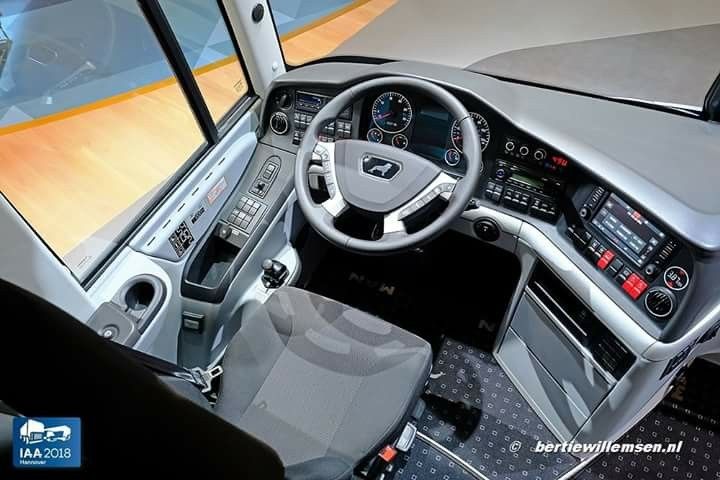
A simple example is the instrument cluster in a truck.
The cluster shows speed, rpm, fuel level, warning lamps and engine status. These values are not all measured inside the cluster.
They are received as messages from other ECUs.
The engine ECU sends engine data, the brake controller sends brake and wheel-speed related data, and the aftertreatment system sends emissions-related status.
The cluster listens to the relevant PGNs and displays the decoded values.
A practical analogy is a shipping label.
CAN is the road, the 29-bit identifier is the label on the package, the PGN tells what type of package it is, and the SPNs are the contents inside.
The receiving ECU checks the label and only opens the packages it needs.
How the J1939 protocol works
A J1939 message starts with data inside an ECU.
The engine ECU may measure rpm, coolant temperature, torque, fuel rate or exhaust temperature.
These values are packed into a J1939 message according to the relevant PGN and SPN definitions.
The message is then transmitted as an extended CAN frame.
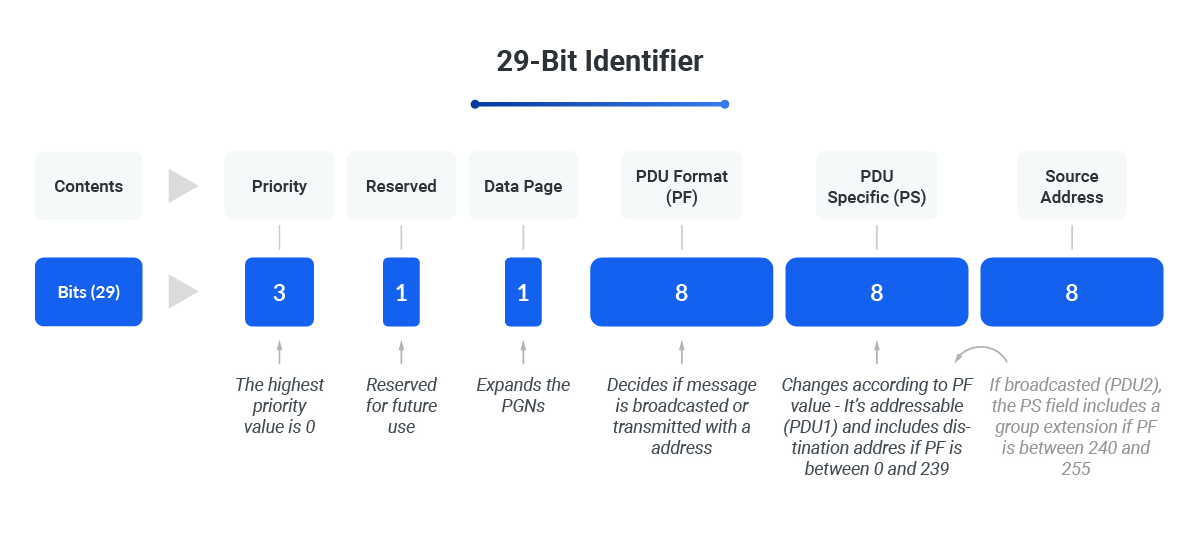
The 29-bit CAN identifier contains fields such as priority, data page, PDU format, PDU specific and source address.
These fields are used to derive the PGN and identify where the message came from.
Example J1939 frame
A logged J1939 frame may look like this:
18FEF100 8 00 00 4B 12 00 00 00 00
In this example, 18FEF100 is the 29-bit identifier, 8 is the data length, and
00 00 4B 12 00 00 00 00 is the payload.
The identifier contains the priority, PGN-related fields and source address.
The payload only becomes useful once it is decoded according to the correct PGN and SPN definitions.
This is an important point. A raw J1939 frame is only bytes. It becomes useful data when you know how these bytes are scaled, offset and mapped to a signal.
Message priority and broadcasting
J1939 uses CAN arbitration.
If several ECUs try to transmit at the same time, the message with the highest priority wins access to the bus. Lower numeric priority means higher bus priority.
Once the message is transmitted, it is broadcast on the CAN network. All nodes can see it.
Each node checks the identifier and decides if it should use the data.
A dashboard may care about engine speed and warning lamps. A telematics device may care about fuel rate, engine hours, speed and DM1 fault messages.
Other ECUs may ignore the same frame completely.
Decoding J1939 data
After reception, the data is decoded.
The PGN tells which group of signals the frame belongs to. The SPN definitions tell where each signal is located in the payload, how many bits it uses and how the raw value must be scaled.
For example, a raw byte value may need an offset and a resolution before it becomes a physical value.
This is normal in J1939 and in CAN decoding generally. Without the correct definition, the frame cannot be interpreted reliable.
Example PGN table
During a project, it is often useful to keep a small table of the PGNs and SPNs that are relevant for the machine.
The full J1939 standard is large, but most projects only need a subset.
| PGN | Typical use | Example SPN |
|---|---|---|
F004 |
Engine data | SPN 190: Engine speed |
FEF1 |
Vehicle speed / cruise data | Vehicle speed related signals |
FECA |
Diagnostic message DM1 | Active diagnostic trouble codes |
The exact PGNs and SPNs depend on the vehicle, engine, OEM implementation and available documentation.
For fleet projects, it is normal to start with standard J1939 signals and then add OEM-specific decoding where needed.
Example: engine temperature warning
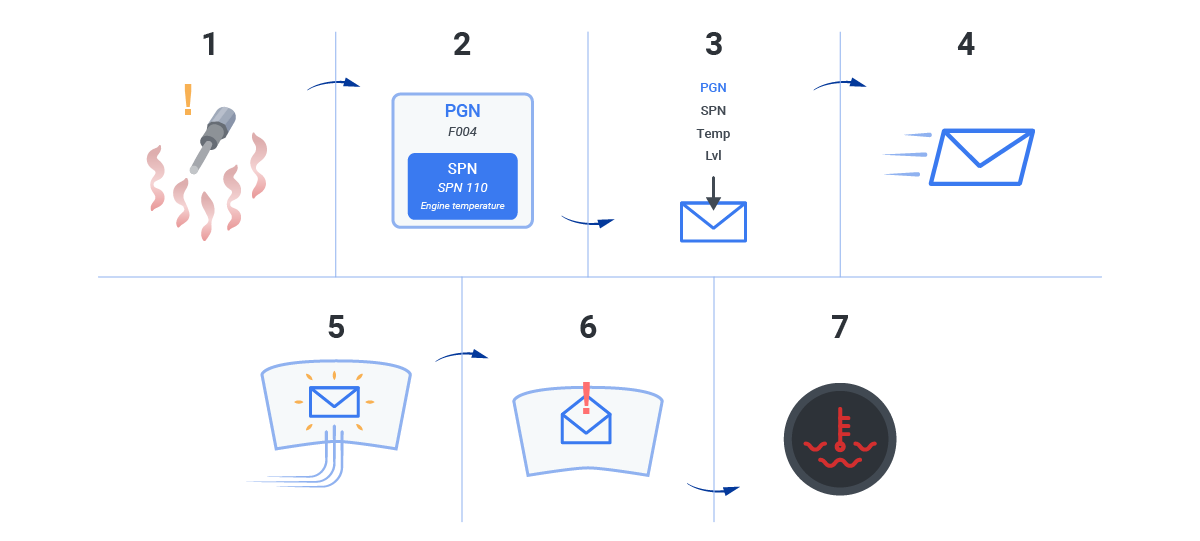
Consider a truck where the engine coolant temperature starts to rise.
The engine ECU measures the temperature, packages the value into the relevant J1939 message and broadcasts it on the bus.
The instrument cluster receives the message, decodes the temperature and shows a warning if the value exceeds the allowed range.
A telematics device connected to the same bus can log the same event.
This gives the fleet operator a record of when the temperature increased, how long it stayed high, whether a fault code appeared and what the vehicle was doing at the time.
Common J1939 use cases
J1939 is used in many parts of heavy-duty vehicle operation.
In telematics, it is used to collect engine hours, speed, fuel use, idle time, load, diagnostic messages and machine status.
This data helps fleet managers understand how vehicles are used and when maintenance should be planned.
In diagnostics, J1939 is used to report active and previously active faults.
DM1 messages are especially important because they report active diagnostic trouble codes. These DTCs include SPN and FMI information, which helps identify both the signal involved and the type of failure.
In control systems, J1939 is used between ECUs such as engine, transmission, brake, aftertreatment and hydraulic controllers.
These messages are part of the normal operation of the vehicle or machine, not only service and diagnostics.
In engineering and testing, J1939 logging is used to understand real machine behaviour.
This can include duty-cycle analysis, fuel consumption, emissions-related states, derates, temperature patterns and performance across different operating conditions.
Example scenario from a mining site
A mining operator runs mixed heavy equipment and wants better insight into machine behaviour.
A telematics device is connected to the J1939 bus and logs both standard signals and diagnostic messages over several weeks.
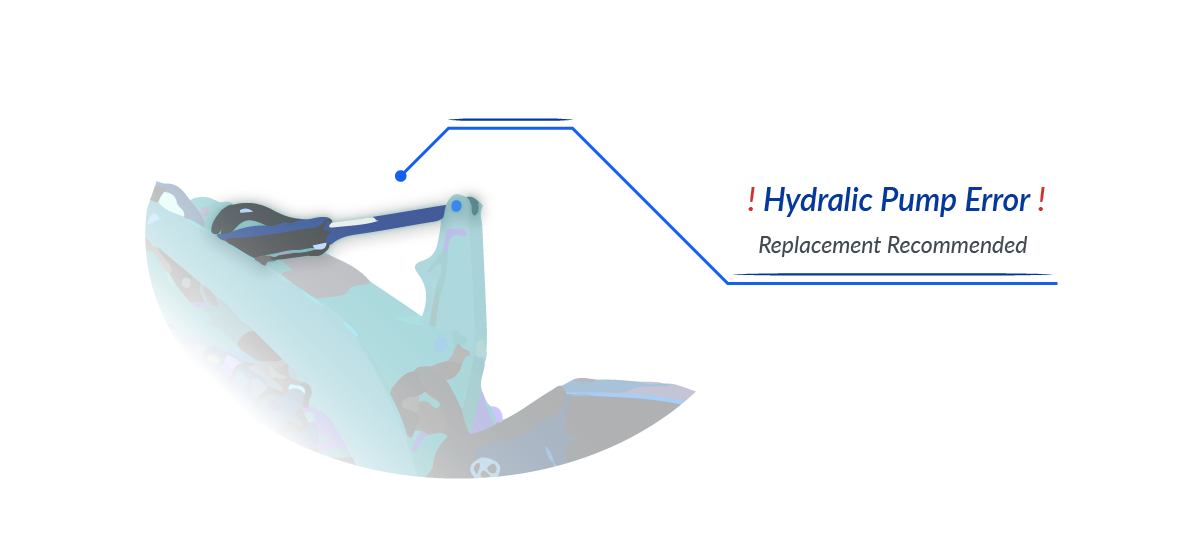
During the logging period, the data shows repeated abnormal hydraulic pressure behaviour on one machine.
The issue does not immediately create a hard stop, but the trend is visible before the operator reports a major failure.
After reviewing the relevant SPNs, DM1 messages and operating conditions, the maintenance team traces the issue to a hydraulic component that is degrading.
The part is replaced during a planned service window instead of after an unplanned stop on site.
This is the practical value of J1939 logging. It is not only about reading fault codes. It is about seeing how the machine behaves over time and catching patterns that are difficult to see during a short inspection.
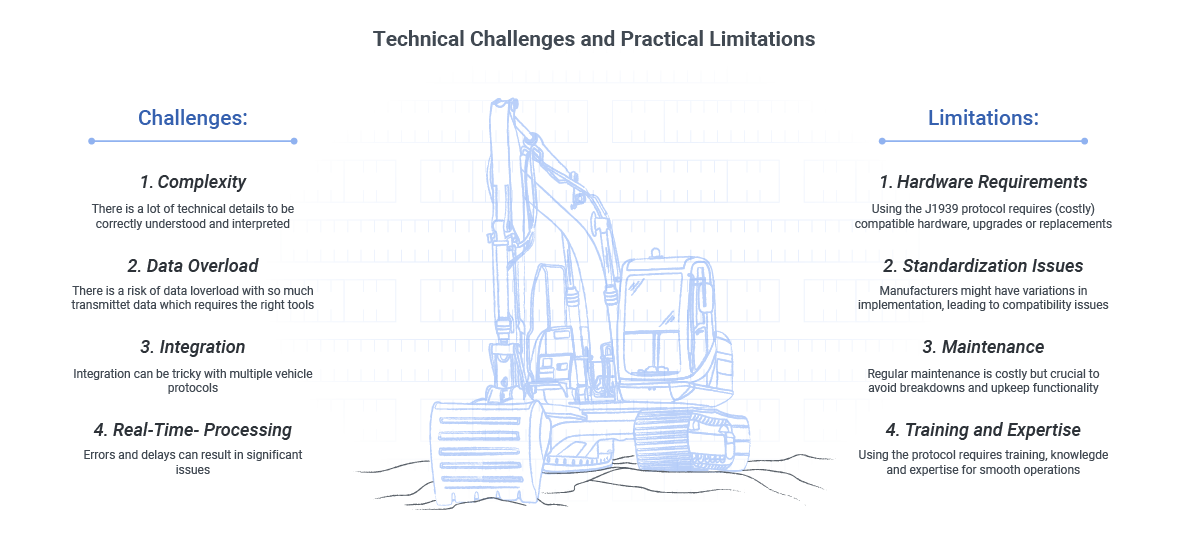
Challenges and limitations
J1939 is standardized, but that does not mean every integration is simple.
The standard covers many common signals, but manufacturers can still use proprietary PGNs, private SPNs, custom scaling or separate CAN networks.
Two machines may both use J1939, but still expose different data.
Data volume is another practical issue.
Full bus logging across a large fleet can create a lot of data. If the project does not define which signals are needed, it is easy to collect more data than anyone will use.
A good logging setup normally starts with a signal list, then stores raw data only where it has value.
Hardware and wiring also matter.
J1939 uses CAN, so termination, cable quality, bitrate, grounding and connector wiring are still important.
A wrong bitrate or bad connection can look like a software problem, even when the real problem is physical.
Henrik from AutoPi summarizes it this way:
J1939 is stable when the basics are correct. Most problems start with the wrong bus, wrong bitrate, missing signal
definitions, or too much data collected without a plan. Once those things are handled, it is a very solid
foundation for telematics and diagnostics.
The future of J1939
J1939 will continue to be used in heavy-duty vehicles for many years.
Newer vehicles may also use CAN FD, Ethernet, UDS and secure gateways, but J1939 remains a practical and well-understood way to exchange engine, drivetrain, diagnostic and machine data.
Electrification adds new data requirements.
Battery systems, thermal management, charging, torque coordination and energy consumption all need to be monitored.
Some of this will be handled through J1939-style data, some through OEM-specific CAN messages and some through other vehicle networks.
Remote diagnostics and predictive maintenance are also increasing the value of J1939 data.
When long-term data is collected from a fleet, it becomes possible to compare machines, detect changes over time and plan maintenance before a failure becomes expensive.
Security will also become more important.
When a telematics device bridges vehicle networks to the cloud, access must be controlled.
Logging data is one thing. Sending commands or changing configuration is another and should be handled with much stricter control.
Conclusion
SAE J1939 is one of the most important protocols in heavy-duty vehicles and machinery.
It defines how ECUs exchange structured data over CAN, how diagnostics are reported and how telematics systems can collect useful operational information.
The most important concepts are PGNs, SPNs, 29-bit CAN identifiers, source addresses and diagnostic messages.
Once these are understood, raw J1939 traffic becomes much easier to work with.
AutoPi devices are designed to work with vehicle and machine data, including J1939.
They can log raw frames, decode selected signals and forward data to AutoPi Cloud or external systems.
This is useful for fleet management, diagnostics, field testing, product development and long-term machine monitoring.
Additional resources
For more background, these related pages may be useful: CAN terminology explained, CAN bus explained, and Introduction to vehicle telematics.
If you are planning a J1939 logging project, it is worth defining the scope early.
Which machine, which bus, which signals, whether raw frames must be stored and where the decoded data should go.
That saves time later and avoids building a system that logs a lot of data but answers very few questions.
AutoPi can help with hardware selection, logging strategy, decoding and integration with cloud or on-premise systems for trucks, buses, heavy-duty vehicles and industrial equipment.


