




















 Cloud Login

Need a simple, practical intro to automotive software?
Automotive software is now a central part of modern vehicles. It controls functions, reads sensor data, supports diagnostics and connects the vehicle to cloud systems. In many newer vehicles, software is no longer just an extra layer. It is part of the vehicle architecture itself.
Automotive software is the software used inside vehicles and around vehicles.
It can run inside ECUs, infotainment systems, telematics devices, diagnostic tools, cloud platforms and fleet management systems.
In older vehicles, software mainly controlled engine functions and basic electronics.
In modern vehicles, software controls much more. It is used for diagnostics, driver assistance, battery management, infotainment, connectivity, data logging, remote updates and fleet operations.
Vehicle data is also becoming more useful.
It is not only numbers from the vehicle. It can show how the vehicle behaves, how it is used, when maintenance is needed and how the fleet can be improved.
This article explains what automotive software is, how it works, how diagnostic software is used, and what role platforms like AutoPi play in vehicle data and software-based workflows.
What is Automotive Software?
Automotive software is software built for vehicles, vehicle systems and vehicle data.
It can run directly inside the vehicle, or outside the vehicle in a cloud platform, diagnostic tool or backend system.
Inside the vehicle, software is used in ECUs, gateways, infotainment units, battery systems, driver-assistance systems and telematics devices.
Outside the vehicle, software is used for fleet management, diagnostics, data analysis, remote configuration and integration with customer systems.
Automotive software is important because vehicles have become more electronic and more connected.
A modern vehicle can contain many control units, sensors, actuators and communication networks.
Software is what connects these parts and makes them useful.
Typical areas where automotive software is used include:
- Vehicle control: Used inside ECUs to manage engine, transmission, brakes, steering, battery systems and other functions.
- Diagnostics: Used to read fault codes, live data and system status from the vehicle.
- Telematics: Used to collect vehicle data, position, trips, usage and device status over time.
- Infotainment: Used for navigation, media, smartphone integration and in-car user interfaces.
- Driver assistance: Used for functions like adaptive cruise control, lane support and safety alerts.
- Cloud platforms: Used to store, process and display vehicle data for fleets, engineers or customers.
The important point is that automotive software is not only one thing.
It can be low-level embedded code inside an ECU, or it can be a cloud platform showing data from thousands of vehicles.
For AutoPi, the focus is mainly on vehicle data access, telematics, diagnostics, fleet management and custom integrations.
That means collecting data from the vehicle, processing it, and making it available in a useful format.
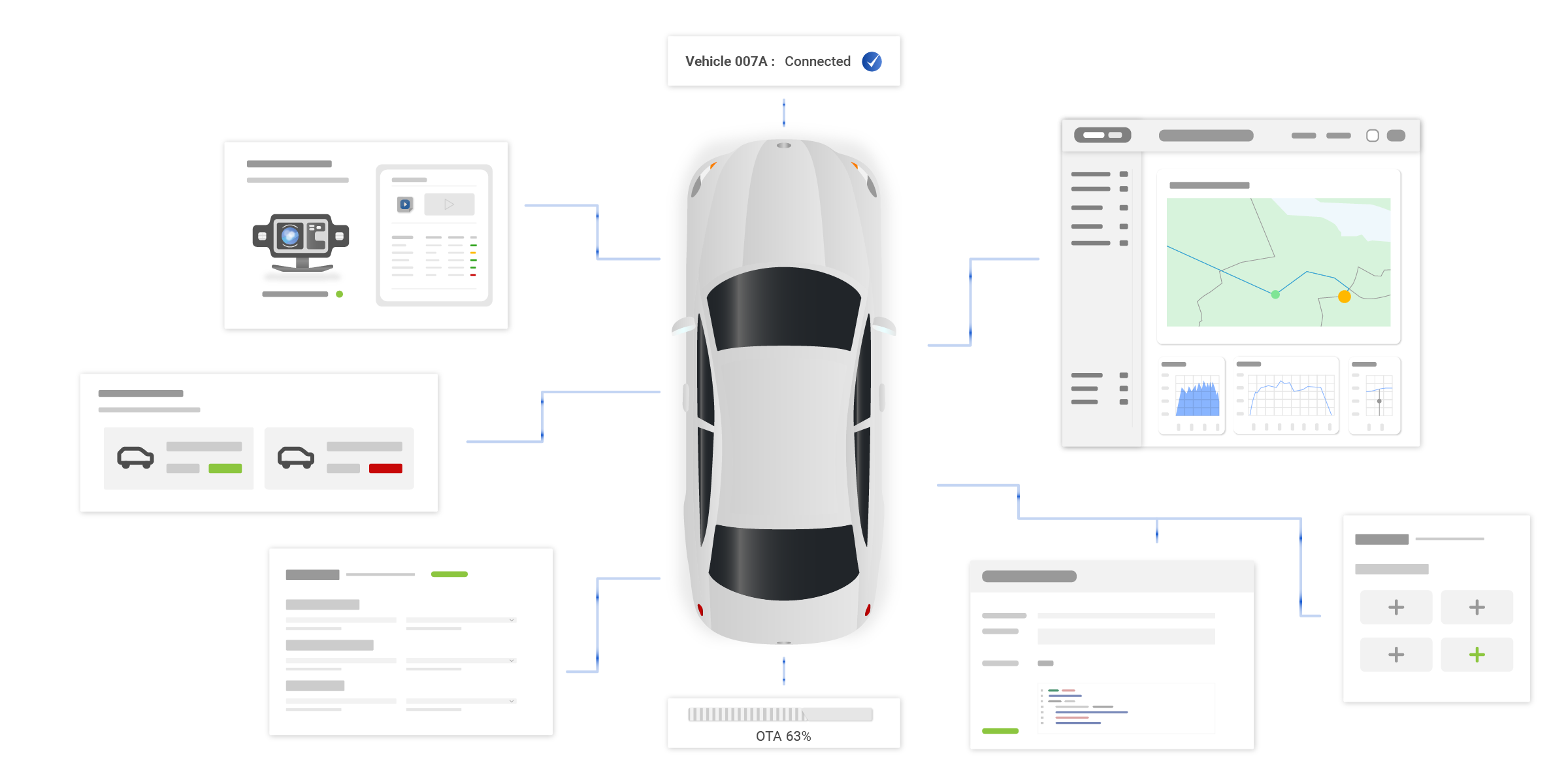
Using AutoPi CAN FD Pro for Vehicle Software and Data Projects
Automotive software becomes more useful when it has access to the right vehicle data.
That is where hardware matters.
The AutoPi CAN FD Pro is built for projects where CAN, CAN FD, LIN, OBD2 and J1939 data needs to be collected from vehicles or machines.
It gives a practical way to connect software workflows with real vehicle networks.
For example, an engineering team may need to log raw CAN frames during testing.
A fleet operator may need diagnostic trouble codes, position data and vehicle status.
A customer integration may need selected signals forwarded to a backend system through MQTT, HTTP or another interface.
In these cases, the software is only useful if the data is reliable.
AutoPi CAN FD Pro can help by collecting vehicle data locally, storing it and forwarding it to AutoPi Cloud or external systems.
Typical use cases include:
- CAN data logging: Capture raw CAN or CAN FD frames for analysis, decoding and troubleshooting.
- Diagnostics: Read supported OBD2 or J1939 diagnostic data and fault codes.
- Fleet monitoring: Track vehicle status, position, usage and fault history.
- Edge processing: Run local logic before the data is uploaded or sent further.
- Backend integration: Send selected data to cloud platforms, customer systems or data pipelines.

How Does Automotive Software Work?
Automotive software works by communicating with vehicle hardware, reading data, processing it and then taking an action or presenting information.
The hardware can be sensors, ECUs, CAN networks, telematics devices, cameras, GPS receivers or cloud-connected gateways.
The software can run locally in the vehicle, on an edge device or in the cloud.
A simple automotive software workflow looks like this:
- Data collection: The software collects data from sensors, ECUs, GPS, CAN bus, OBD2, J1939 or other vehicle systems.
- Data processing: The raw data is filtered, decoded, scaled or combined with other information.
- Analysis: The software checks the data for faults, trends, thresholds, events or patterns.
- Action and response: The system can show a warning, store a log, trigger an alert or send data to another system.
- External communication: The vehicle or device can communicate with cloud platforms, GPS services, APIs or customer backends.
- User interface: The result is shown in a dashboard, app, report, diagnostic tool or fleet management view.
In a telematics project, this could mean reading speed, RPM, location and fault codes from the vehicle and sending them to a cloud dashboard.
In an engineering project, it could mean logging raw CAN data during a test drive and decoding the signals later.
In a fleet project, it could mean detecting a repeated fault code and planning maintenance before the vehicle breaks down.
The principle is the same: collect the data, make it understandable, and use it for a decision or workflow.
Automotive Diagnostic Software in Action
Automotive diagnostic software is used to understand what is happening inside the vehicle.
It can read diagnostic trouble codes, live values, ECU status, voltage levels and other supported vehicle data.
A practical example is a vehicle with an intermittent engine issue.
The problem may not be visible during a short workshop inspection.
But with a connected device, the vehicle data can be logged over time.
The AutoPi device connects to the vehicle through the OBD-II port or vehicle network, depending on the setup.
It can then collect data from supported sensors and systems.
If the vehicle reports an error code, low battery voltage, abnormal temperature or other condition, the software can store the event and show it in the platform.
Vehicle inspection software can also support workshops and fleet operators by making inspections more structured.
Instead of relying only on manual notes, inspection results can be connected with vehicle data, service history and diagnostic findings.
| Connection to Vehicle | Data Analysis | Problem Identification | Additional Features |
|---|---|---|---|
| Connects to the car's OBD-II port for system access. | Analyzes sensor data for vehicle health. | Identifies issues and sends alerts for problems like low battery. | Includes remote start, geo-fencing, and trip logs. |
Diagnostic software is not only about reading a code once.
It is more useful when the code is connected with time, position, voltage, temperature, mileage, engine hours or operating state.
This gives a better picture of what happened before and after the issue.
AutoPi can also support remote monitoring, custom alerts, trip logging and geofencing depending on the setup.
This makes it useful for both diagnostics and general vehicle data workflows.
The Future of Automotive Software Solutions
Automotive software will continue to grow because vehicles are becoming more connected, electric and software-defined.
More vehicle functions will be controlled by software, and more data will be used to improve operation, maintenance and user experience.
The main trends are:
- AI and IoT integration: Automotive software will use more connected devices, sensor data and AI-based analysis for automation and predictive maintenance.
- Connected vehicles: Vehicles will communicate more with cloud systems, other vehicles and infrastructure where the use case supports it.
- EV software: Electric vehicles need software for battery management, charging, thermal control and energy optimization.
- Autonomous driving systems: More software will be used for sensor fusion, object detection, route planning and safety logic.
- User-focused interfaces: Vehicles will offer more personalized settings, infotainment options and driver profiles.
- Cybersecurity: Connected vehicles need stronger protection against unauthorized access and unsafe control paths.
- Data-driven services: Vehicle data will be used for diagnostics, maintenance planning, fleet optimization and new customer services.
The important point is that the vehicle is becoming part of a larger digital system.
The car is no longer only a mechanical product with electronics added.
It is a connected platform with software, sensors, data and cloud services around it.

Timeline of Automotive Software
Automotive software has developed step by step as vehicles became more electronic.
The timeline below shows the main development stages.
- 1980s: Early ECU use: Electronic control units became more common and were mainly used for engine control and basic vehicle functions.
- 1990s: More system integration: Software became part of fuel efficiency, emissions control, airbags and other safety functions.
- Early 2000s: Infotainment systems: Vehicles started using software for navigation, entertainment and driver-facing information.
- Mid to late 2000s: ADAS growth: Software became more important for stability control, ABS, adaptive cruise control and lane-related safety functions.
- 2010s: Connected vehicles: Vehicles started using GPS, real-time traffic, smartphone integration, cloud services and remote diagnostics.
- Late 2010s to today: EVs and autonomous systems: Software now manages battery systems, charging, sensor fusion and advanced driver-assistance functions.
Today and beyond: Automotive software is now a core part of the industry. It drives IoT integration, cybersecurity, custom user experiences, AI-based analytics and cloud-connected vehicle workflows.
For companies working with vehicles, the practical question is how to turn vehicle software and data into useful operations.
That can mean better diagnostics, lower downtime, improved fleet visibility or more reliable integrations with existing business systems.


